See the details from the front.
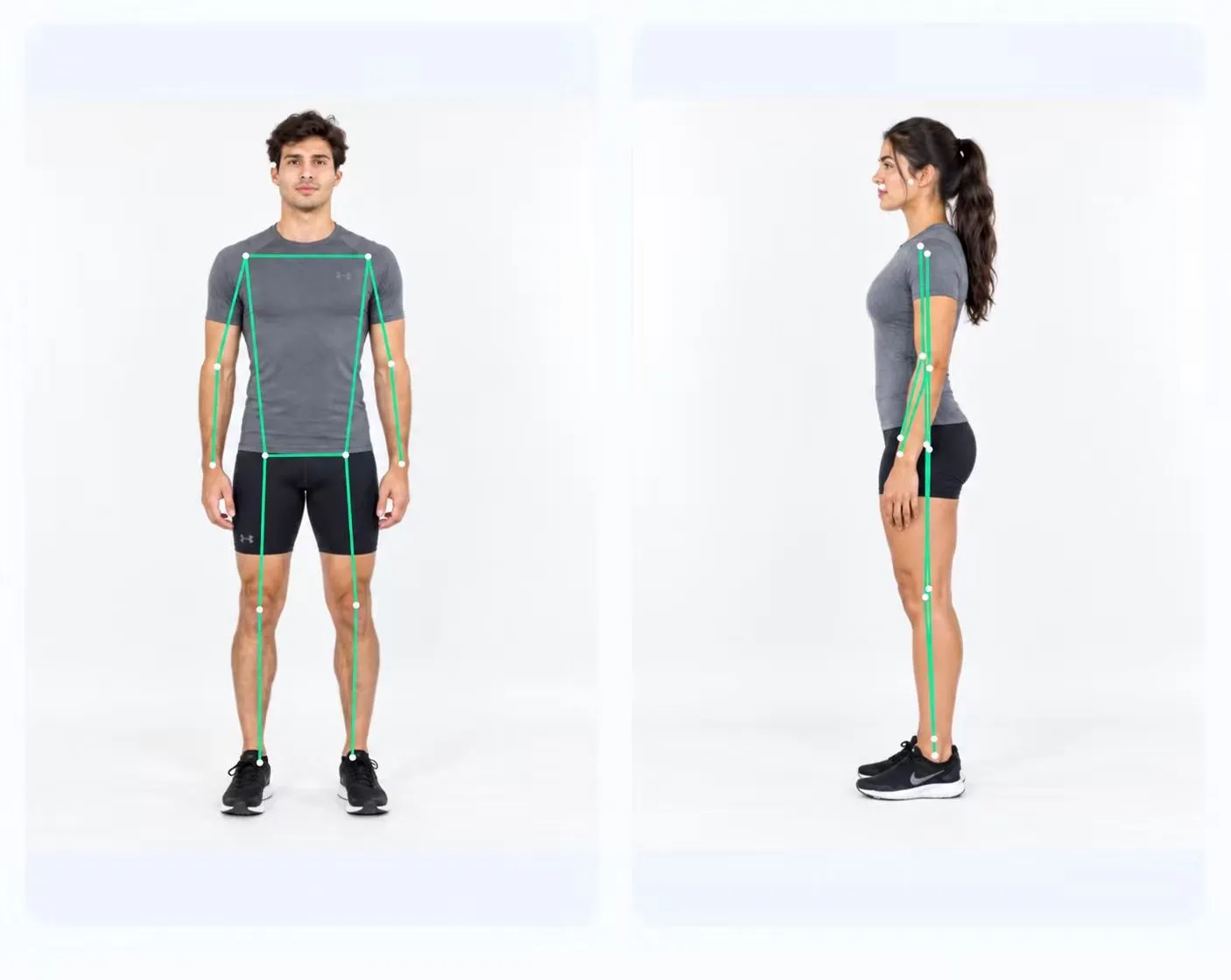
Explore measurements across the head, shoulders, torso and legs. Pose landmarks sit over your photo, so you can see the points behind the report.
Explore front-view analysis ↗ PoseAlign.
THE POSEALIGN EXPERIENCE
PoseAlign has three features, all free in the Android app: front-view analysis (pose landmarks and 11 measurements from a photo facing the camera), side-view analysis (forward head angle and pelvic tilt from a profile photo), and a combined posture report you can export as a PDF. There is no subscription, in-app purchase or usage credit.
FROM PHOTOS TO PERSPECTIVE
Explore measurements across the head, shoulders, torso and legs. Pose landmarks sit over your photo, so you can see the points behind the report.
Explore front-view analysis ↗The side photo complements the front view with forward head angle and pelvic tilt measurements, displayed alongside a visual landmark overlay.
Explore side-view analysis ↗Review both photos and the measurement tables together. Export a PDF to keep a copy of your posture check or share it yourself.
See a sample report ↗A SIMPLE START
Open Advanced check, take or choose your photos, and adjust the crop and rotation. Name and age are optional details on the photo-selection screen.
Front-view analysis, side-view analysis and PDF export are included in the free app. There are no paid plans or usage credits to choose from.
Follow the photo-to-report walkthrough ↗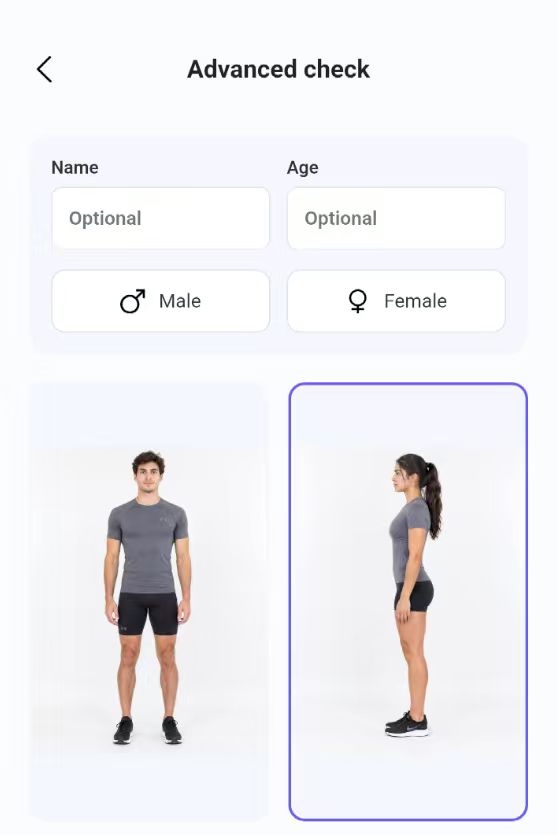
FREE ON ANDROID
Two photos. A visual report. No subscription.