
BLOG
Types of posture apps: what photo, webcam and wearable checkers can and cannot see
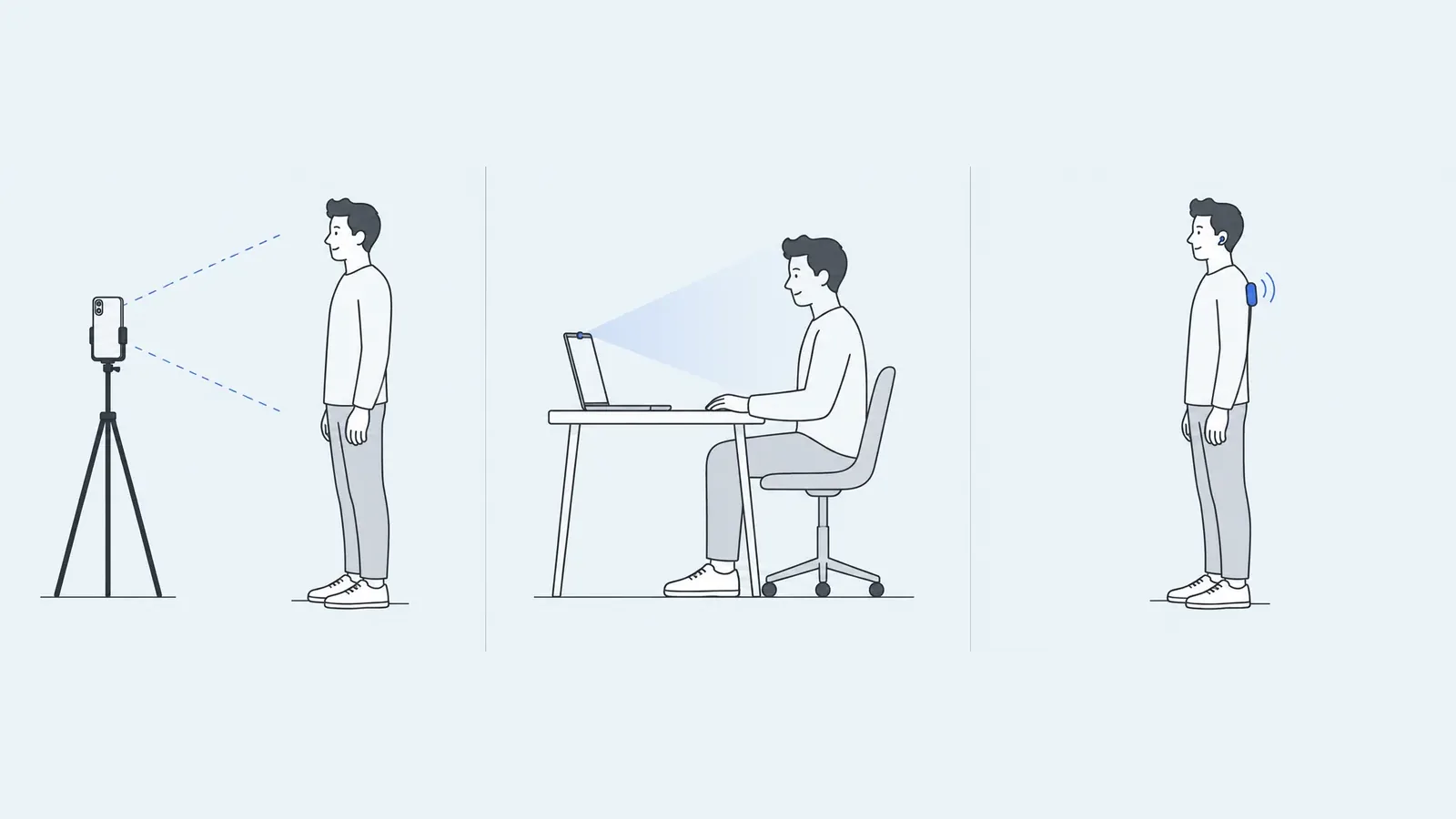
Posture apps that measure your body come in three types, and the difference is what they can see. Photo apps measure your whole standing body once, from still photos. Webcam monitors watch your head and shoulders while you sit at a computer. Wearables and headphone apps track one body segment through the day. Reminder and exercise apps, a fourth group, measure nothing. Below, the three measuring types are compared by body coverage, timing and published evidence.
The three types at a glance
| Photo analysis | Webcam monitor | Wearable or headphone app | |
|---|---|---|---|
| Input | Still photos from a phone | Live laptop or desktop camera | Motion sensor on the back or in headphones |
| Body coverage | Whole body, front and side; some apps add the back | Head, shoulders, upper trunk | One segment: upper back or head |
| When it works | The moment you take the photo | While you sit at the computer with the camera on | Through the day, sitting, standing or walking |
| Output | Angles and percentages with landmarks on the photo, often a PDF | Live score and alerts | Vibration or sound alerts, session logs |
| Compares against | Positions of body points within the photo | Your own calibrated position | Your own calibrated position or a threshold |
| Hardware | A phone and a stand | A computer with a webcam | A device to wear, or compatible headphones |
| Price of the examples below | Free, or free plans with paid upgrades | Free tiers or demos; paid plans from $2.99 a month or $19 one-time | $79.95 to $99.95 list price for devices; free headphone app with a paid tier |
| Published evidence | Many reliability studies, mostly with landmarks placed by trained examiners | Accuracy figures on product sites are the developers' own | A 2024 review of workplace studies, mostly with prototype devices |
| Answers | "How do I stand, from head to feet?" | "Do I slump while I work?" | "What happens away from the desk?" |
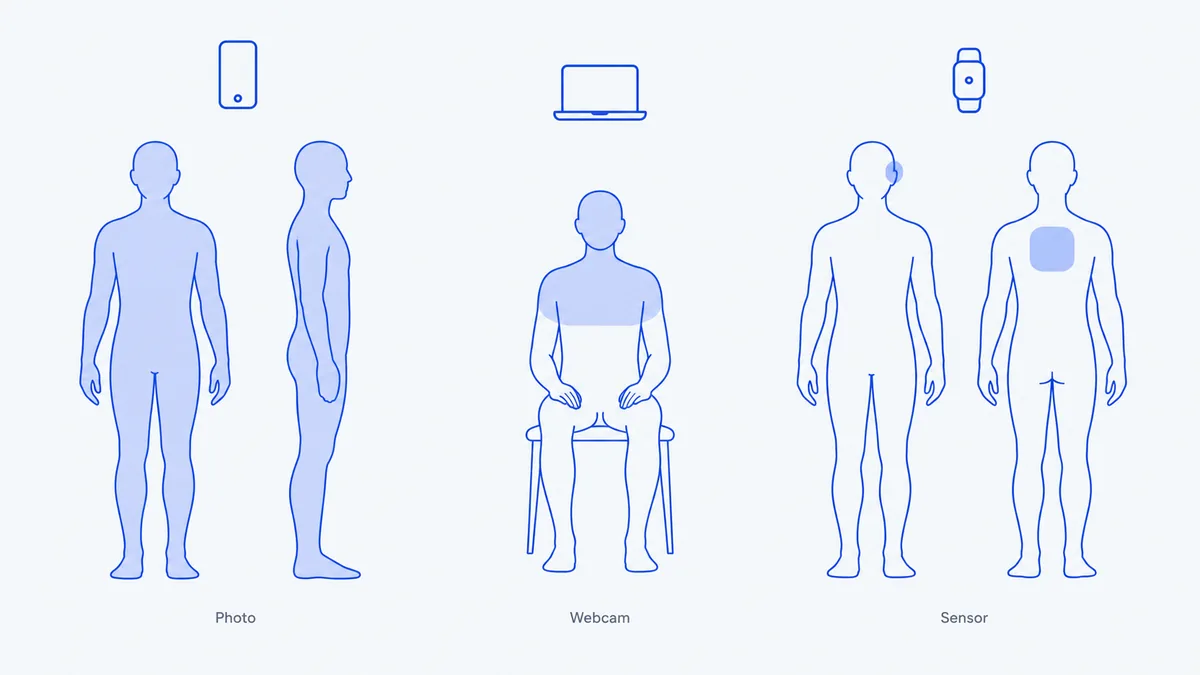
We found no study that compares the three types head to head, and they measure different things, so there is no single accuracy ranking. The choice comes down to which body parts you need to see and when.
Photo analysis apps
A photo posture app finds body points in a still image and measures how they line up. You stand in front of a phone camera, take a full-body photo from the front and usually one from the side, and the app returns measurements with the points drawn on the photo. A front photo shows left-right differences such as head tilt, shoulder level and pelvic level; a side photo shows forward head position and pelvic tilt.
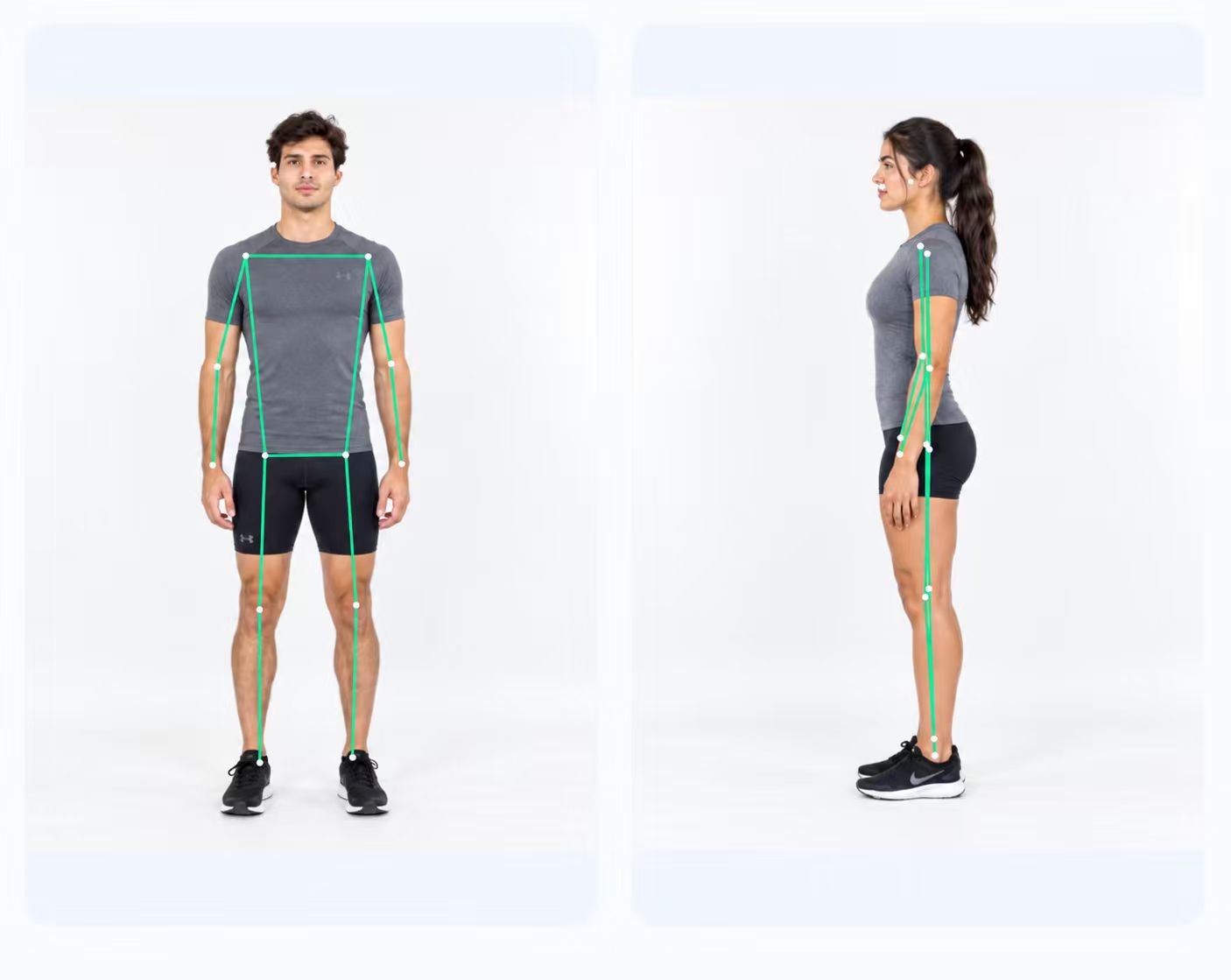
Two examples work at different depths. PoseAlign, our app, runs on Android, uses one front and one side photo, places landmarks automatically and reports 13 fixed measurements with a PDF, free with no subscription or in-app purchases. APECS runs on Android and iOS, covers front, back and side views, lets you adjust landmarks by hand, and has a Free plan plus Pro at €4.79 a month and Pro Plus at €5.99 a month (APECS plans). Our PoseAlign vs APECS comparison covers the differences.
Photo apps have a substantial body of measurement research. A 2025 meta-analysis of 29 studies found excellent pooled reliability for the neck angle in side photos, but weaker and less certain agreement with reference methods for shoulder and hip lines in front photos. Most of that research used landmarks placed by trained examiners, not automatic detection, and the studies cited here do not validate PoseAlign. Our article on how accurate photo posture analysis is goes through the studies.
The limit is time: a photo is one moment, and it does not show how you sit for eight hours or how you move. Camera height, framing, clothing and stance also change the result.
Webcam posture monitors
A webcam monitor compares your live upper-body position with a baseline you set and alerts you when you drift from it. You sit upright once to calibrate, then the app watches while you work. Three examples, checked on 8 October 2026:
- StopSlouching runs in Chromium browsers, as a Chrome extension and as a Windows app. You calibrate by sitting straight for 3 seconds, and its Chrome Web Store listing describes a live score with sub-scores for head over shoulders, shoulders level and uprightness. The official site offers a free demo and Pro at $2.99 a month, $24.99 a year or $39.99 one-time.
- Slouch Sniper is a desktop app for Windows and Apple Silicon Macs that dims your screen when you slouch. It learns your neutral posture when you first start and tracks trends, for a one-time $19 license (slouchsniper.com).
- SitSense runs in a web browser on any device with a webcam. Tracking is free; Pro adds long-term trends and full session history for $34.99 a year (sitsense.app).
All three sites say video is processed on your own device. The strength of this type is timing: feedback arrives during the hours you actually spend at a screen. The limit is coverage. A desk camera sees your head, shoulders and upper chest, so it says nothing about your pelvis, knees or feet, and its score depends on how you sat during calibration.
Wearables and headphone apps
Wearables and headphone apps measure the tilt of one body part with motion sensors and alert you with a vibration, sound or notification when it passes a threshold. They work away from the desk.
- Upright GO 2 and Upright GO S are small devices worn on the upper back that vibrate when you slouch. Both can be worn with adhesive or the compatible Upright Necklace accessory; check which accessories your package includes. List prices were $99.95 and $79.95, both on sale when we checked (uprightpose.com).
- Posture Pal is an iPhone app that reads the motion sensors in compatible headphones, including AirPods (3rd generation), AirPods Pro, AirPods Max and Beats Fit Pro, to track neck tilt during a session. It is free, with a Posture Pal Pro subscription (App Store listing).
Research on posture wearables comes mostly from workplaces. A 2024 scoping review (Figueira et al.) found 12 studies with 304 workers, most of them healthcare staff. Accelerometers were the most common sensor, nearly all studies measured forward-backward movement such as trunk bending, vibration was the most common alert, and the authors note that the studies "predominantly relied on prototype wearables". One sensor sees one segment, so a wearable gives no left-right comparison of shoulders, hips or knees.
Privacy questions to ask before you start
Each type handles personal material: full-body photos, a live view of your room, or a record of how you move. Before installing, check where images or sensor data are processed, whether anything is uploaded or stored and for how long, whether you need an account, and whether a webcam tool keeps the camera on only while its tab or app is open. A developer's statement on its site is a claim, so read the privacy policy and the store's data safety or privacy section. For PoseAlign, see the privacy policy.
Which type answers your question
- "How do I stand, from head to feet?" Use a photo app. It is the only type here that compares left and right across the whole body and gives you a report you can keep. The guide to choosing a free posture analysis app for Android compares what the free versions include.
- "Do I slump while I work?" Use a webcam monitor; it watches during desk hours and reminds you on the spot.
- "What happens when I am away from the desk?" Use a wearable or a headphone app, if you are willing to buy and wear the hardware.
- "I want something to show a physiotherapist." A photo report with landmarks is easier to share than a log of alerts. Ask them which views they want.
None of these tools diagnoses a condition. If you have pain or a concern, take your results to a physiotherapist or doctor. To try a photo check on Android, how PoseAlign works shows each step.
How this guide was made
We picked the examples from products named on the first page of Google results for "types of posture apps" and "webcam vs photo posture app" and from a Google Play search for "posture analysis", choosing products that measure posture rather than only remind or coach. Facts and prices come from each product's official site, Chrome Web Store page or app store listing, checked on 8 October 2026, in US dollars except APECS (euros). We did not test any of these products, and PoseAlign is our app.