Head and upper body
The report lists head tilt, shoulder level, clavicle angle, chest symmetry and arm position. These labels help you find the upper-body results together.
 PoseAlign.
01 / FRONT-VIEW ANALYSIS
Front-view posture analysis in PoseAlign uses one full-body photo taken facing the camera. The free Android app marks pose landmarks on the photo and lists 11 measurements: head tilt, shoulder level, clavicle angle, chest symmetry, arm position, waist angle, pelvic level, knee alignment, foot position, and left and right Q angles. The results are photo-based estimates, not a diagnosis.
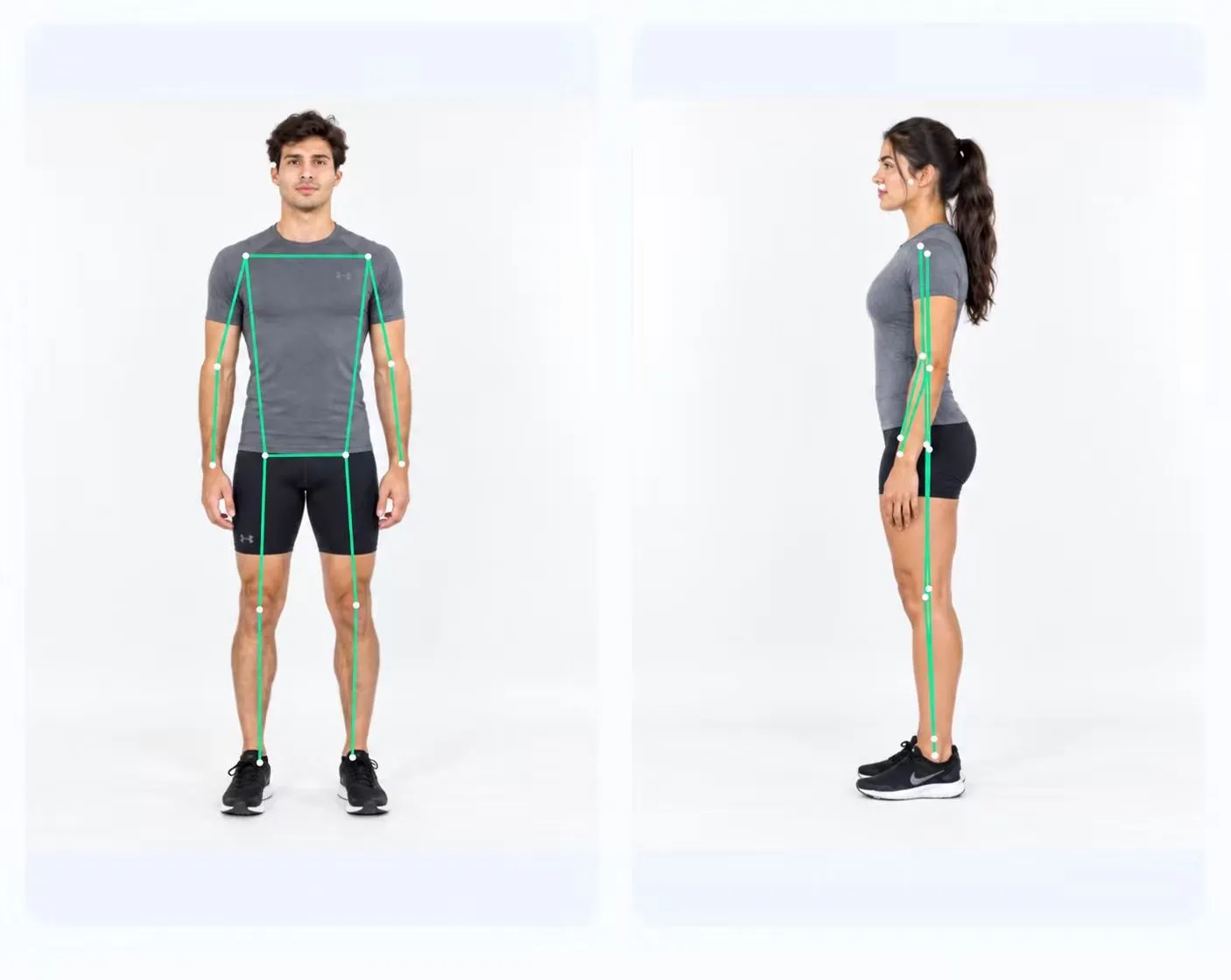
READ THE FRONT VIEW
The report lists head tilt, shoulder level, clavicle angle, chest symmetry and arm position. These labels help you find the upper-body results together.
Waist angle and pelvic level appear as separate results. The report keeps their units visible: degrees for waist angle and a percentage for pelvic level.
Knee alignment, foot position and left and right Q angles complete the front-view table. Each side’s Q angle has its own row.
THE ACTUAL OUTPUT
These values come from the example report. They show what the app displays, rather than targets for your own posture.
Knee alignment is highlighted in this particular example. A highlighted value is not a diagnosis.
Read the measurement FAQOpen the original screenshot ↗| Measurement | Example result |
|---|---|
| Head tilt | 2.9° |
| Shoulder level | 0.9% |
| Clavicle angle | 0.5° |
| Chest symmetry | 0.8% |
| Arm position | 0.8% |
| Waist angle | 0.5° |
| Pelvic level | 0.8% |
| Knee alignment | 3.8% — highlighted in the example |
| Foot position | 1.1° |
| Left Q angle | 5.3° |
| Right Q angle | 2.3° |
FREE ON ANDROID
Two photos. A visual report. No subscription.