
BLOG
One shoulder higher than the other in photos: your body or the camera?
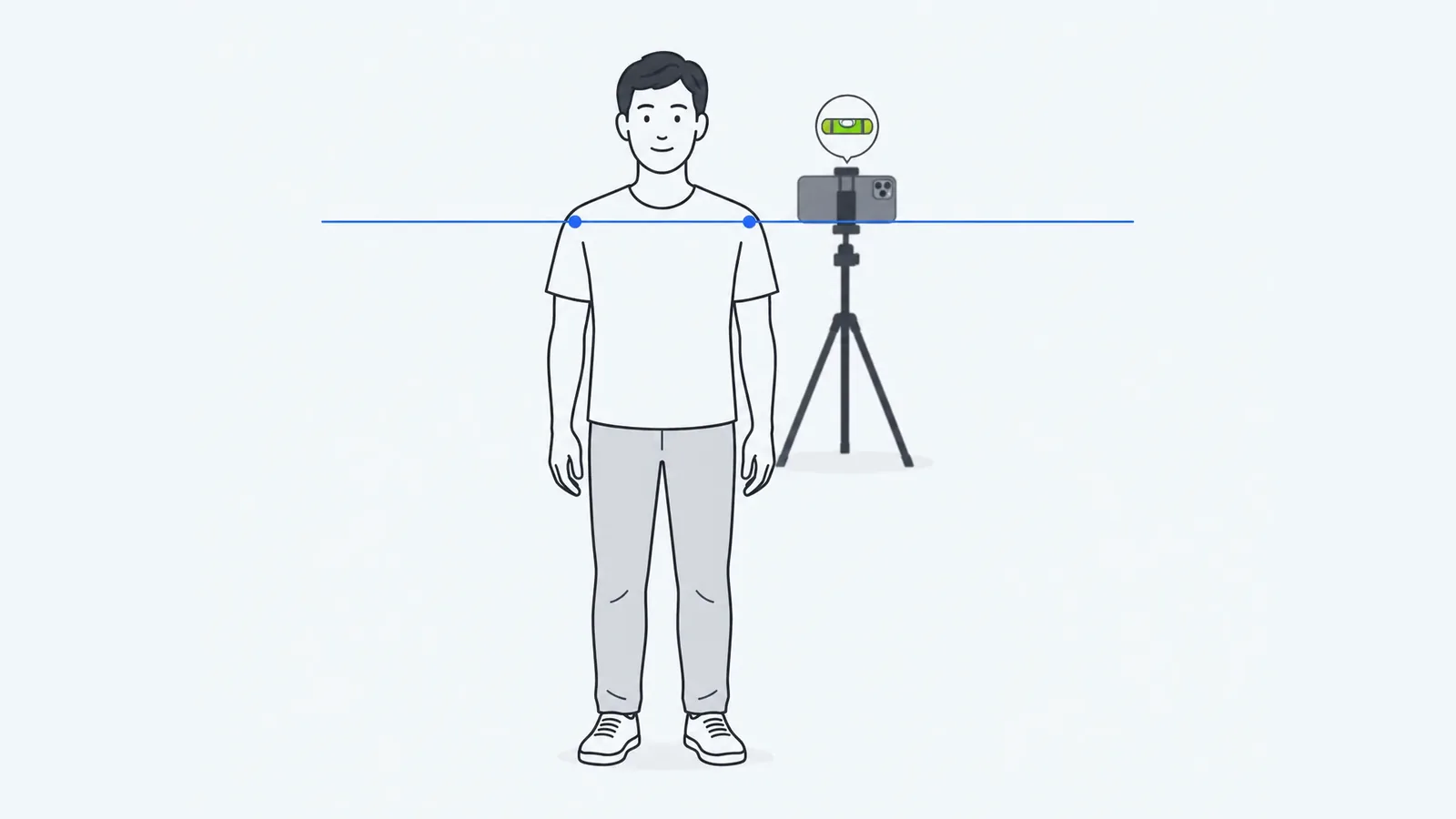
When one shoulder looks higher in a photo, check the camera and your stance first: a tilted phone, a raised arm, a bag strap or weight on one leg can tilt the shoulder line. Three photos taken the same way can show whether the difference repeats, but cannot identify its cause. Small differences are common in healthy teenagers. Below is a practical repeat-photo check and its limits.
Why a single photo is a weak test
A shoulder line in a photo is measured against the edges of the image, so anything that tilts the image tilts the result. Research setups spend effort on exactly this. In the validation study of the SAPO posture software, five physiotherapists marked photos of 22 people with foam markers on the acromion, the bony tip of each shoulder, and a plumb line hung in the picture as the true vertical (Ferreira et al., 2010). Agreement between raters for shoulder level was very good (ICC 0.83, where 1 is perfect agreement). The measures with unacceptable agreement all used the vertical reference line, which the authors, citing earlier work, called imprecise compared with markers on the body; they added that occasional slips in identifying the markers may have increased the error. A phone held by hand has no reference line at all.
The outline of the shoulders is also not the skeleton. In 50 adolescents with scoliosis, Vo et al. (2024) in Vietnam compared shoulder height on standardized photos (camera at shoulder height, 1.2 m away, a grid behind the patient) with the clavicle angle on X-rays. The two agreed only moderately (r = 0.47 at the inner shoulder, 0.63 at the outer shoulder). So a careful photo shows how the shoulders look, which is related to, but not the same as, how the collarbones sit.
The mirror test that appears in several top search results, comparing the height of your collarbones, has the same limit as a single photo: it is one look at one stance.
Camera and stance errors that tilt the shoulder line
| Cause | What it does | Fix |
|---|---|---|
| Phone tilted sideways | Level shoulders look tilted by the same angle as the phone. | Use a stand and the camera's grid or level guide. |
| Camera above or below shoulder height, or off to one side | Perspective moves the nearer shoulder. | Centre the phone at about shoulder height, at the same distance each time. |
| Holding the phone or a remote | The raised arm lifts its shoulder. | Use the self-timer, arms hanging relaxed. |
| Bag, strap or object on one shoulder | The shoulder hitches up, and the strap can pull the detected point. | Remove everything from both shoulders and hands. |
| Weight on one leg | The pelvis and trunk lean, and the shoulder line follows. | Stand with weight on both feet, feet hip-width apart. |
| Body turned slightly | The nearer shoulder looks bigger and its point moves. | Line your toes up with a mark on the floor, facing the camera. |
| Loose top or long hair | The shoulder outline is hidden. | Wear a fitted top and tie hair back. |
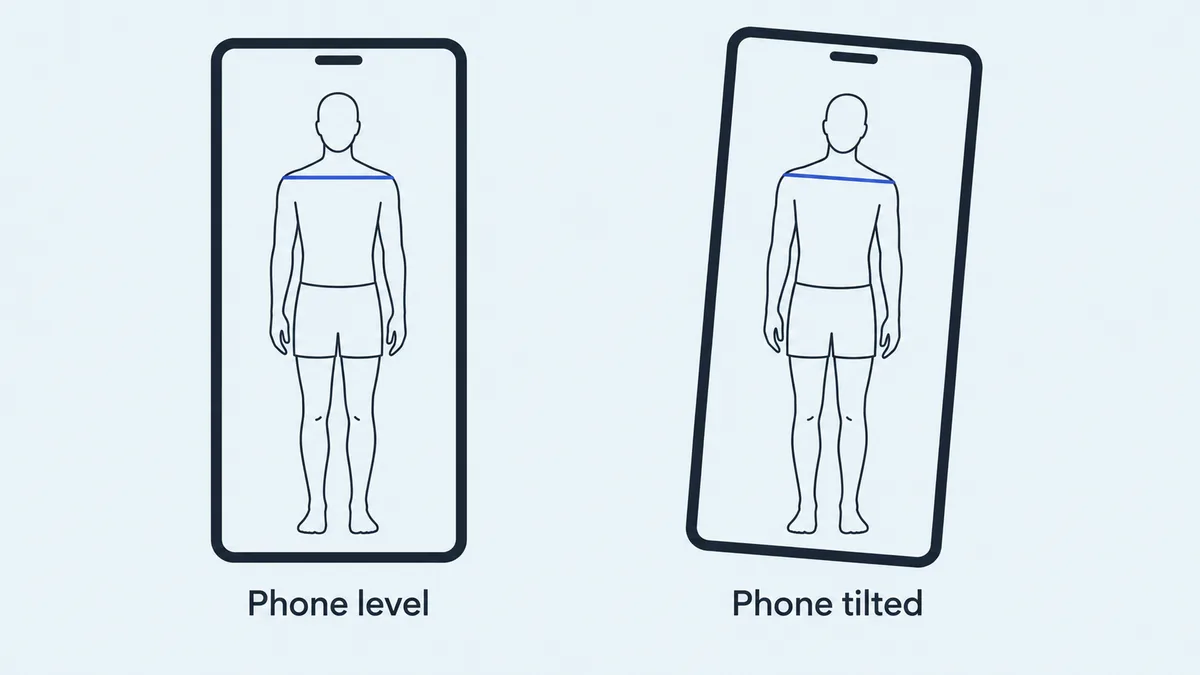
More setup detail is in how to take posture photos.
How PoseAlign reports the shoulder line
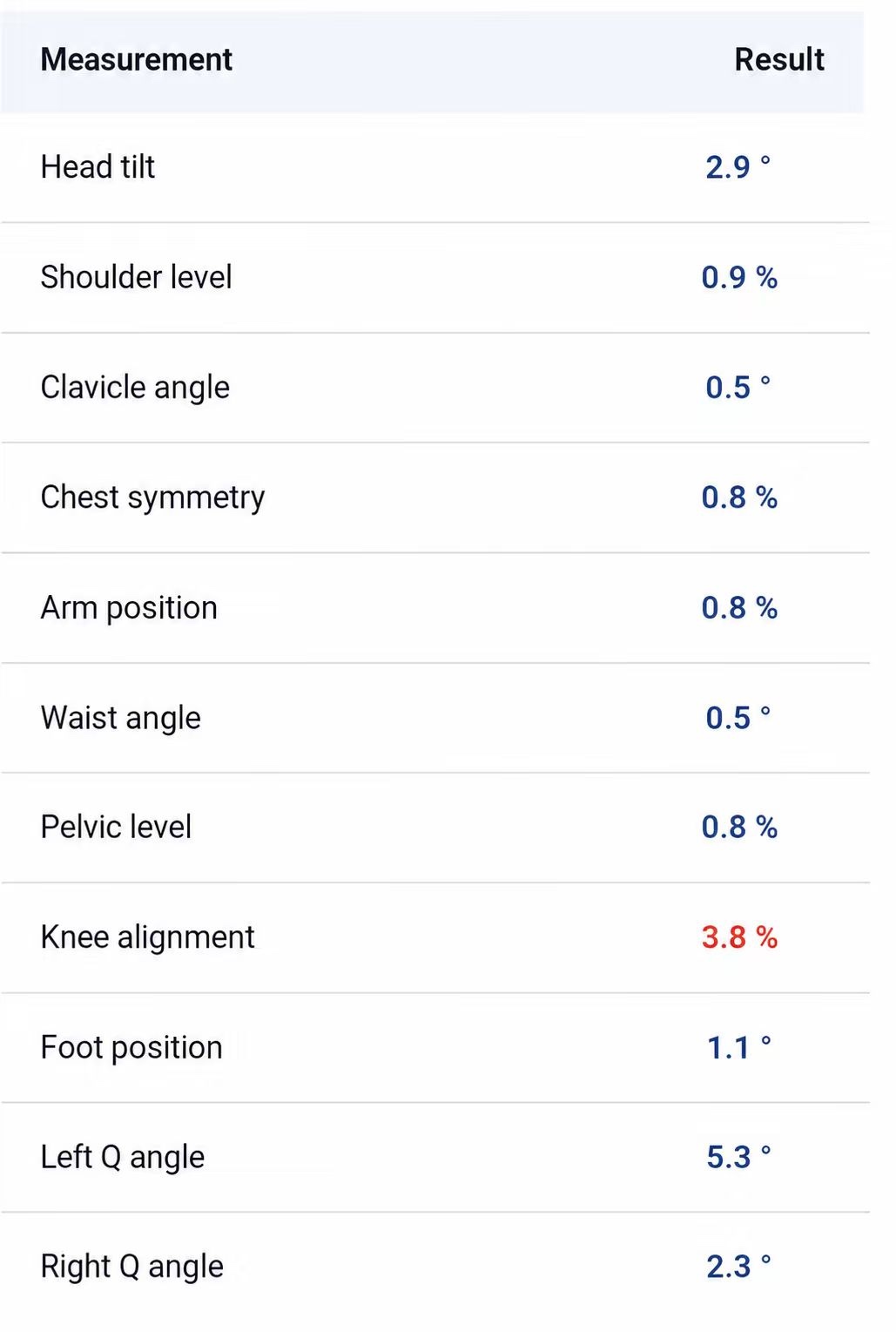
PoseAlign, a free Android posture analysis app, lists two shoulder rows in its front-view table: shoulder level as a percentage and clavicle angle in degrees. In the latest example on the site they read 0.9% and 0.5°. PoseAlign does not publish either formula, so read each with its own unit and do not convert one into the other or compare it with research angles. The example values are not targets.
A photo app has no marker on the acromion. Public pose models such as Google's MediaPipe Pose Landmarker estimate a "left shoulder" and "right shoulder" point from the image, and no collarbone point. Before reading either row, check on the overlay that both shoulder points sit at matching places on your body. The other front-view rows are explained in how to read a posture analysis report.
The three-photo test
- Put the phone on a stand at about shoulder height, level, far enough away that your whole body fits with space above your head and below your feet.
- Stand barefoot facing the camera, weight on both feet, arms relaxed, nothing on your shoulders.
- Take a photo with the self-timer, walk out of the frame and back, and repeat until you have three.
- Compare the three photos, or the shoulder rows of three PoseAlign reports, side by side.
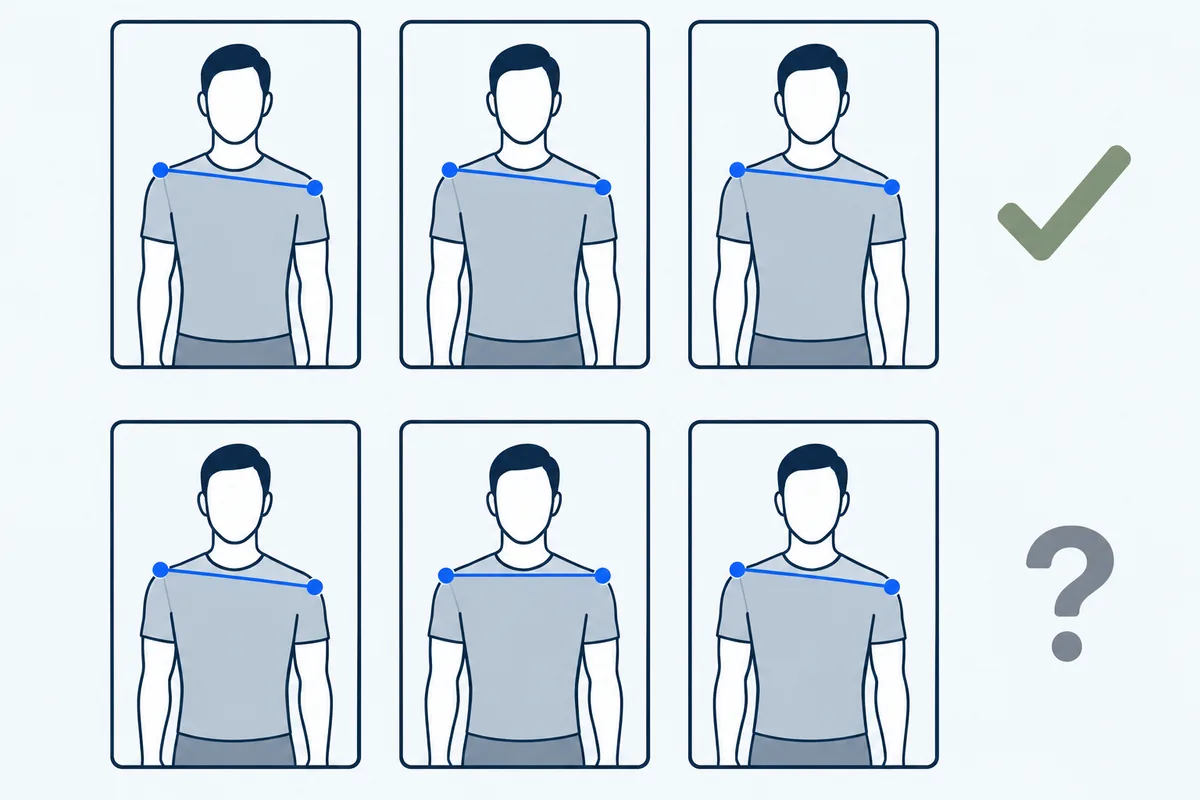
If the same shoulder is higher in all three, you have recorded a repeatable appearance in those photos. Habitual stance, camera setup and landmark detection can also produce a repeated difference, so this check cannot separate them from anatomy. If your right shoulder is higher in the first and third photos but level in the second, look at what changed in the second one (the phone, your feet, your arms) before drawing any conclusion. This is a practical recording routine, not a validated diagnostic test.
A consistent difference is also common without any condition. In 91 healthy adolescents aged 10 to 18 seen at a paediatric clinic in Turkey, only 17 (18.7%) had perfectly level shoulders in clinical photographs, the average height difference was 7.5 mm, and all of them had said in a questionnaire that their shoulders were level (Akel et al., 2008).
A consistent difference still does not tell you the cause. Uneven shoulders are one of the signs the NHS lists for scoliosis, along with a visibly curved spine, leaning to one side, one shoulder or hip sticking out and ribs sticking out on one side. Scoliosis most often starts in children aged 10 to 15, and the NHS advises seeing a GP if you think you or your child has it; an X-ray is used to measure the curve. PoseAlign is not a medical device and cannot screen for scoliosis. If the difference is consistent and comes with any of those signs, or with pain, take your three photos to a GP or physiotherapist. For a repeatable routine that covers the rest of the body, see how to check your posture at home with a phone.