12.3°
The head-angle result.
This is the forward head angle shown in the example report. Review the number alongside the landmarks in the side photo.
 PoseAlign.
02 / SIDE-VIEW ANALYSIS
Side-view posture analysis in PoseAlign uses one full-body photo of your side profile. The free Android app marks pose landmarks on that photo and reports two measurements in degrees: forward head angle and pelvic tilt. Both appear in the same report as the 11 front-view results. The values are photo-based estimates for posture awareness, not a diagnosis.
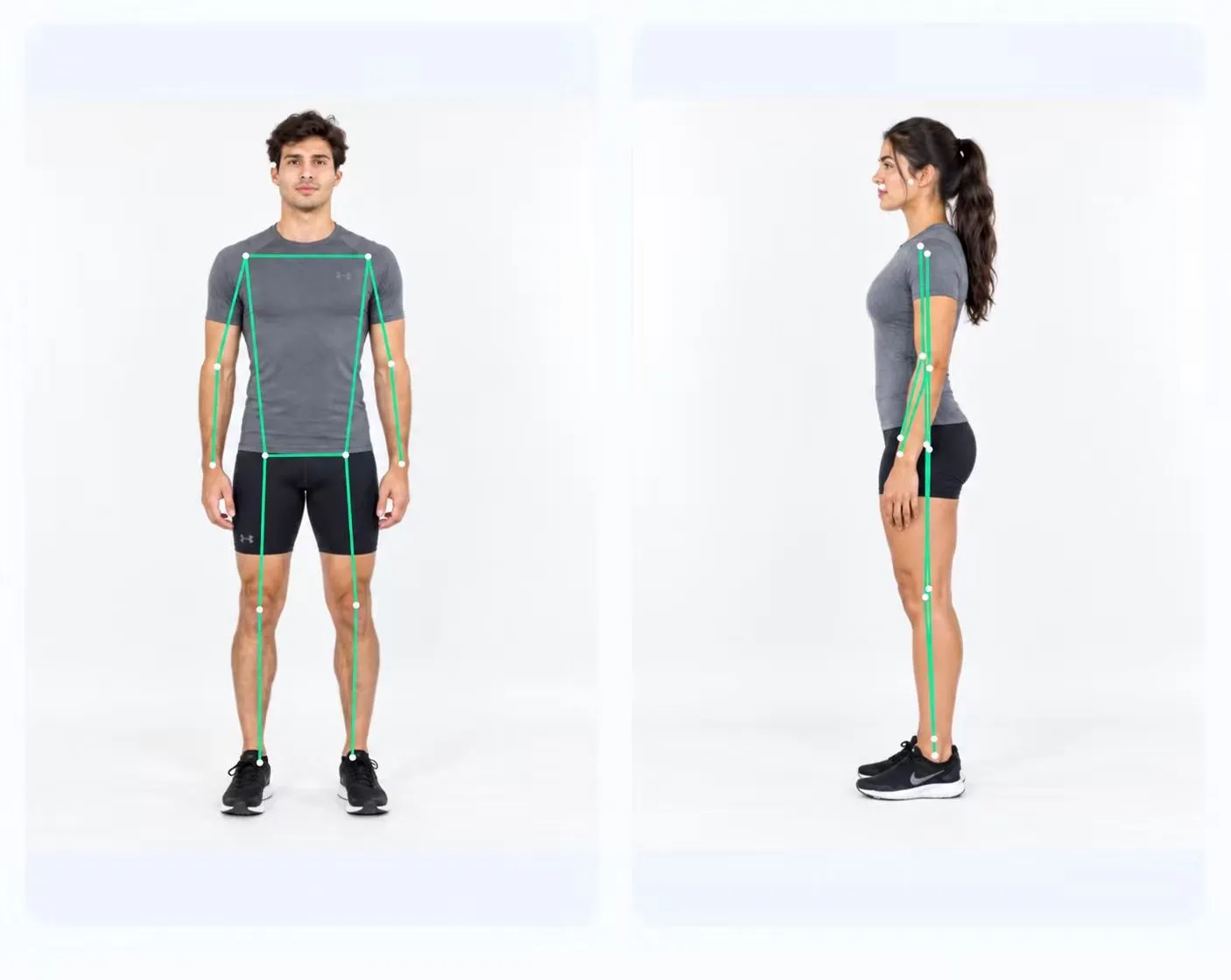
TWO SIDE-VIEW MEASUREMENTS
12.3°
This is the forward head angle shown in the example report. Review the number alongside the landmarks in the side photo.
1.6°
Pelvic tilt is the second side-view result. It appears in degrees and is distinct from the pelvic level percentage in the front-view table.
Example measurements only. These values are not recommended targets or a definition of normal posture.
READ BOTH VIEWS TOGETHER
The front view includes measurements such as shoulder level and knee alignment. The side view adds the two results shown here. Both sets appear in the same report.
Turning toward the camera changes the view. Before generating a report, check that the side photo shows your profile and includes your full body.
Explore the front-view results ↗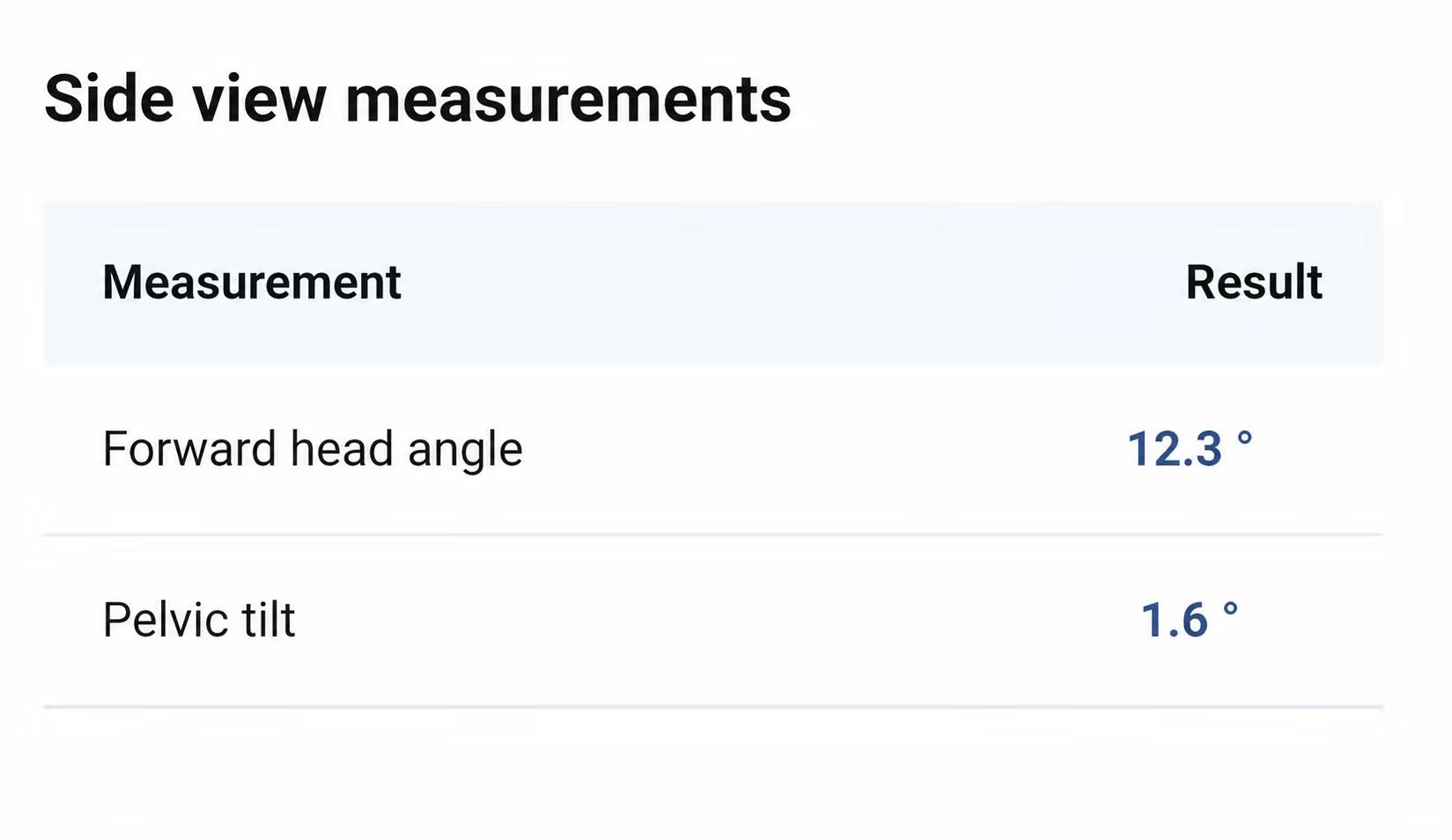
FREE ON ANDROID
Two photos. A visual report. No subscription.