
BLOG
PoseAlign vs APECS: when a free two-photo app can stand in for APECS, and when it cannot
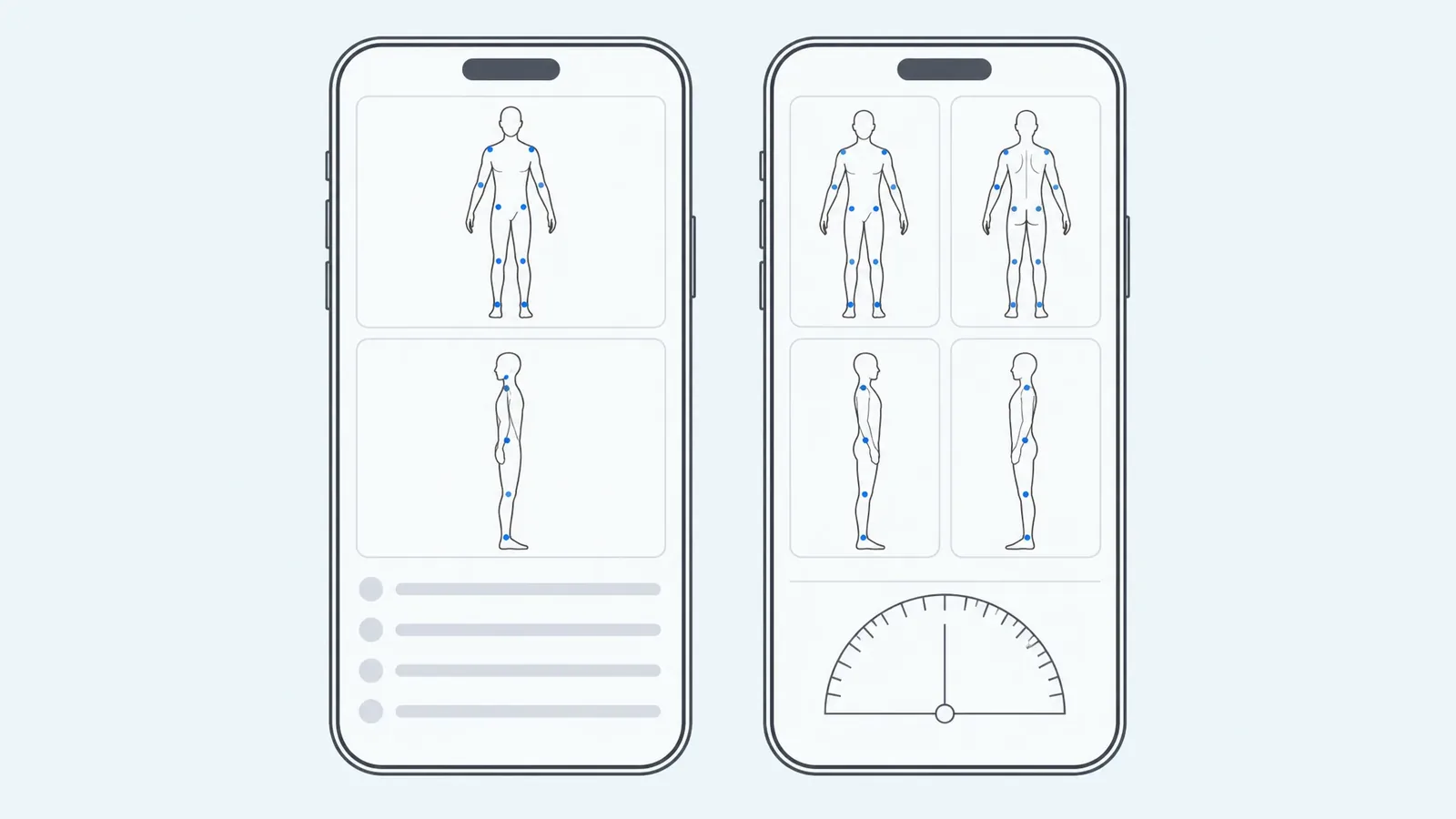
PoseAlign can stand in for APECS only for a personal two-photo check on Android: it is free, gives 13 fixed measurements and a PDF, and has no plans to choose. For client or research work, APECS is the stronger tool, with back views, range of motion, manual landmark control, iOS support and published reliability studies. PoseAlign is our app; this comparison uses both apps' official pages, checked on 8 October 2026, and we did not test either app's accuracy.
Which PoseAlign is this?
The name PoseAlign is also used in computer vision research, for example a 2025 network for 2D human pose estimation. This article is about PoseAlign the posture analysis app for Android, which measures body alignment from one front and one side full-body photo. APECS is the posture evaluation app from Saneftec, for Android and iOS.
PoseAlign and APECS side by side
| PoseAlign | APECS | |
|---|---|---|
| Platforms | Android only | Android 8.0 and above; iOS 13 and above, with a tablet interface for iPad |
| Price | Free, with no subscription or in-app purchases | Free plan; Pro €4.79/month (€2.50/month billed yearly); Pro Plus €5.99/month (€3.08/month billed yearly) |
| Photos | 1 front + 1 side, taken in the app or chosen from the gallery | Front, back and both sides; side-view video analysis on Pro Plus |
| Landmarks | Placed automatically and drawn on both photos | Auto-position, manual mode, or recognition of green markers stuck on the body |
| Measurements | 13 fixed: 11 front view, 2 side view, in degrees or percent | Modular: alignment from head to foot, ATSI and POTSI trunk symmetry, Golden Ratio, forward bend test, knee valgus/varus, custom angles |
| Range of motion | Not part of the documented two-photo workflow | Yes, including a goniometer; advanced ROM on Pro |
| PDF report | Included free | Basic results summary on Free; advanced PDF reports on Pro; custom logo and clinic details |
| Published research | No validation identified in the cited sources | Developer cites 35+ peer-reviewed publications using APECS |
| Built for | Individuals checking their own posture | Physiotherapists, chiropractors, fitness professionals, ergonomists, researchers |
The pattern is breadth against simplicity: APECS covers far more, and most of its extra depth sits in the paid plans. APECS facts come from the APECS product page and its Google Play listing; PoseAlign facts from how PoseAlign works and the PoseAlign FAQ.
Where APECS is stronger
- iPhone and iPad. APECS runs on both platforms. PoseAlign is Android only.
- Views and tests. APECS adds back-view photos, trunk symmetry indices, Golden Ratio proportions, a forward bend test, knee valgus/varus assessment, face symmetry and an automatic ruler for linear measurements.
- Movement. APECS measures range of motion and, on Pro Plus, analyzes side-view video frame by frame. PoseAlign works only with still photos.
- Control over landmarks. In APECS you can let the app pre-position points and adjust them, place every point yourself, or put green markers on the body for the app to detect. PoseAlign places landmarks automatically.
- Research. In Trovato et al. (2022), three examiners assessed 100 healthy young adults (mean age 23) with four photos each; 13 of 22 variables reached an ICC above 0.90 between examiners and 6 did not reach the cut-off. The study did not compare APECS with a reference instrument, and the authors suggest clinicians treat it "as an auxiliary posture evaluation tool". APECS is also one of eight apps in a 2025 systematic review of photo-based smartphone posture apps. The studies cited here do not validate PoseAlign.
- Your own protocols. APECS lets you build custom screening protocols and measurement sequences, which suits a clinic with its own method.
Where PoseAlign is simpler
- No plan to choose. The full report and the PDF export are included at no cost. With APECS, head-neck analysis, trunk symmetry and advanced PDF reports need Pro.
- The same 13 results every time. Every report lists the same measurements by name, which makes two of your own reports easy to put side by side.
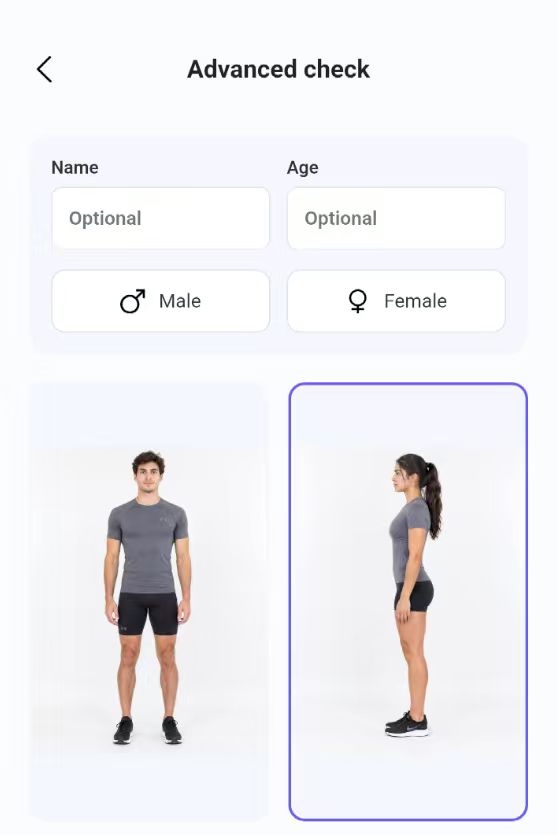
- A short workflow. Open Advanced check, add one front and one side photo, generate the report. Name and age are optional.
What each app measures
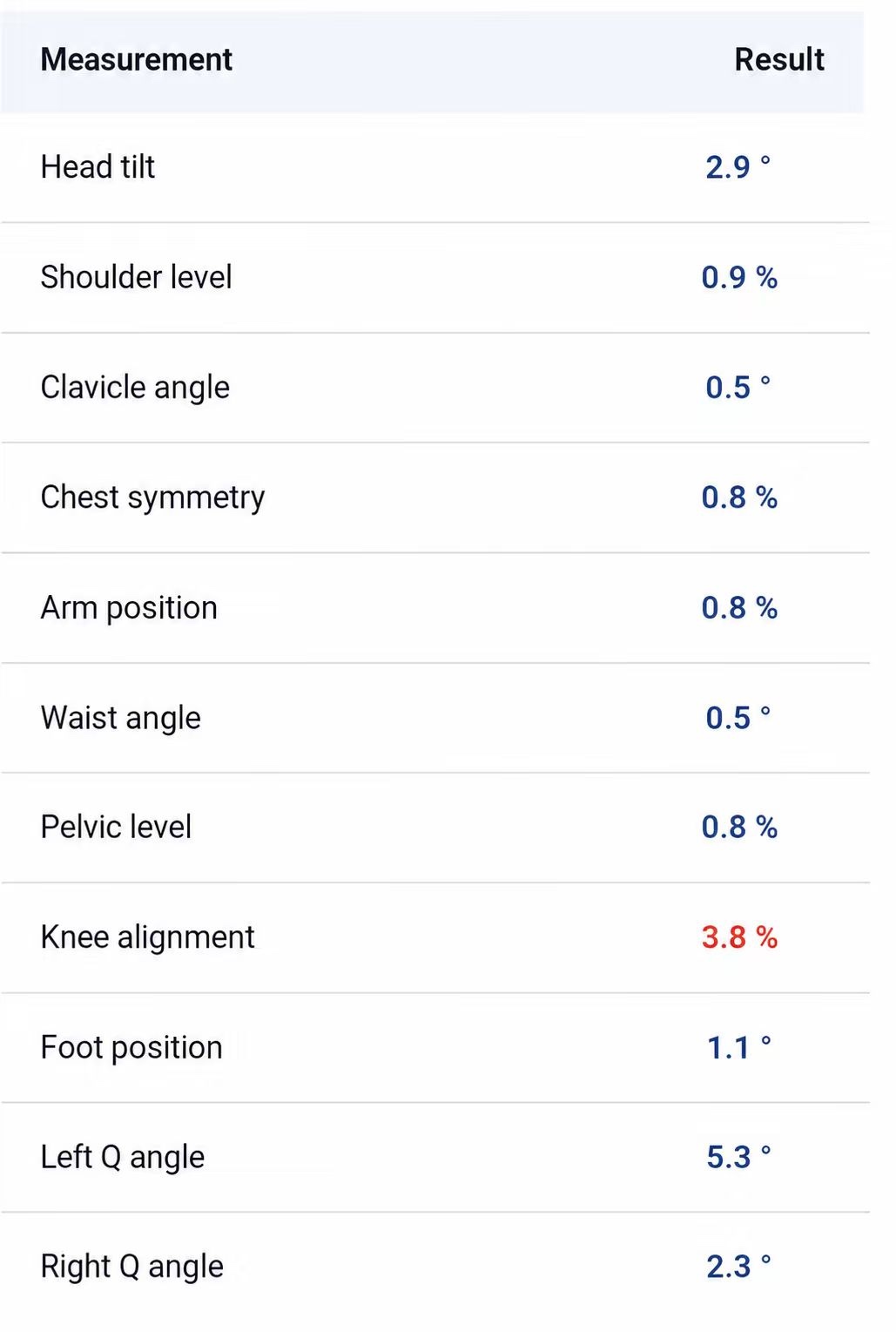
PoseAlign's 13 measurements are fixed. From the front: head tilt, shoulder level, clavicle angle, chest symmetry, arm position, waist angle, pelvic level, knee alignment, foot position, left Q angle and right Q angle. From the side: forward head angle and pelvic tilt. PoseAlign does not publish the formula behind each value, so its numbers cannot be compared directly with APECS values or with published norms. Our guide on how to read a posture analysis report explains what each row shows.
APECS reports alignment of the head, neck, shoulders, spine, pelvis, legs and feet, plus the specialist tests in the table. Its PDF reports include a written interpretation and can carry your logo and clinic details. The listing says results are stored on the device with no cloud upload, and Pro Plus adds a face mask for photos. PoseAlign's PDF holds both photos with landmarks and both measurement tables; see the posture report page.
Which one to use
- Choose APECS if you assess clients or patients, need back views, range of motion or video, work on an iPhone or iPad, or want a tool with published reliability data. Start with its free plan and check which modules you need before paying.
- Choose PoseAlign if you are on Android, want to check your own standing posture from two photos, and want the same set of measurements and a PDF with no paid tier.
- Use both if you check yourself at home and your physiotherapist uses APECS. Your PoseAlign PDF can start the conversation; it does not replace their assessment.
Either way, results depend on the photo, so keep the camera height, distance and clothing the same between checks, as in our guide to taking posture photos. For other photo apps, see the guide to choosing a free posture analysis app for Android; if you are moving from PostureScreen, see PostureScreen alternatives for Android.
How this comparison was made
We compared the features each developer publishes: the APECS product page, its Google Play and US App Store listings, and PoseAlign's own website, all checked on 8 October 2026. APECS prices are in euros as shown on its site. We did not test either app's accuracy, and PoseAlign is our app.