
BLOG
What to send a physio or trainer with your posture photos

Send a physio or trainer one dated PDF report made from a front and a side photo taken with a steady setup, plus a short note on why you ask, any symptoms and how the photos were taken. Expect them to treat it as a starting point: they will usually ask questions, watch you move and may retake the photos under their own protocol. Before sending, use initials instead of your name and check the photos for saved location data.
What a PoseAlign report contains
A PoseAlign PDF is a one-page summary of two photos and 13 estimated measurements: your front and side photos with the pose landmarks the app detected, a table of 11 front-view measurements and a table of 2 side-view measurements, in degrees or percent. The front-view table lists head tilt, shoulder level, clavicle angle, chest symmetry, arm position, waist angle, pelvic level, knee alignment, foot position, and left and right Q angle. The side-view table lists forward head angle and pelvic tilt. The posture report page shows the full layout.
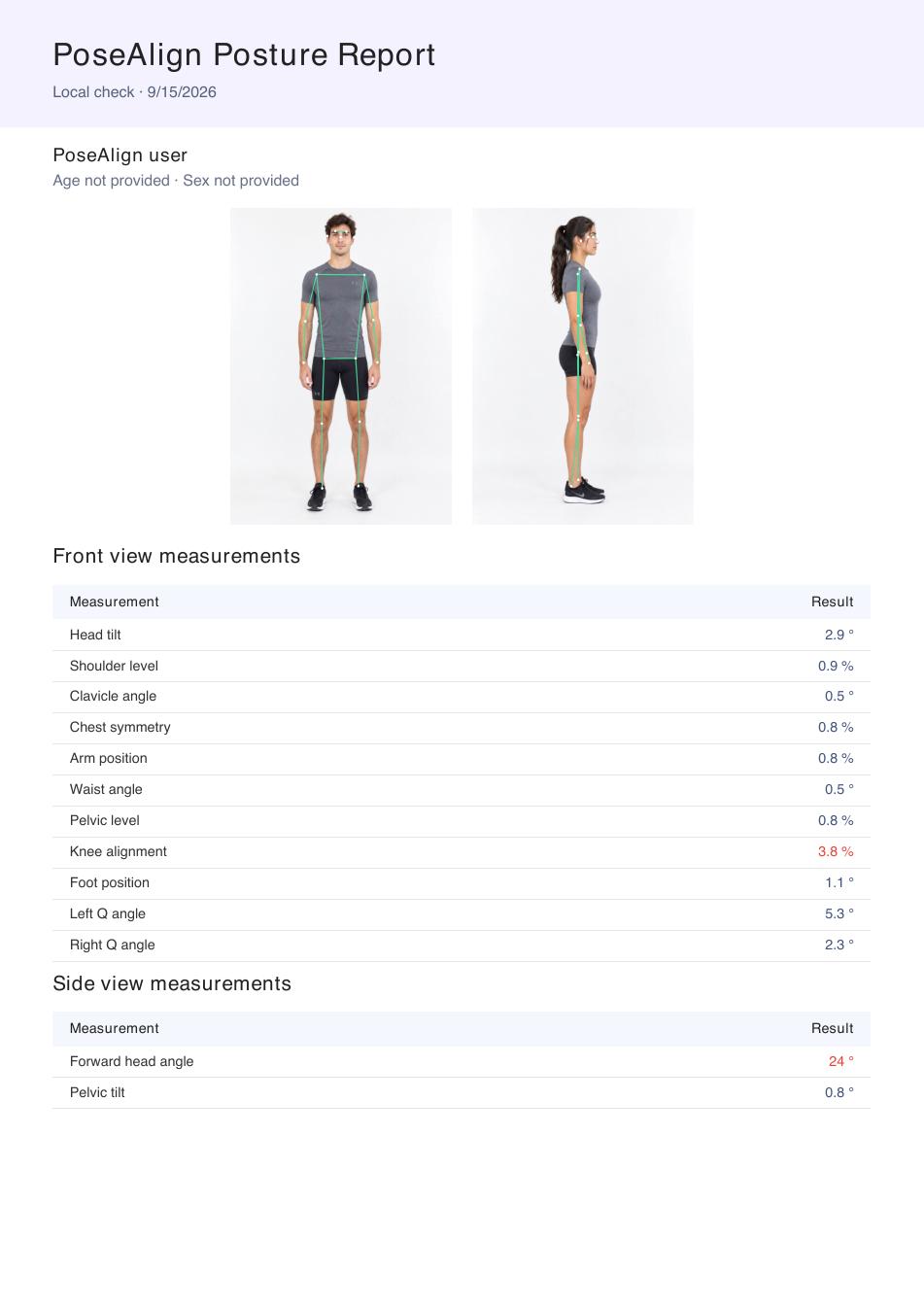
Tell the professional what the file is: an estimate from two phone photos. PoseAlign is not a medical device, and the report does not diagnose a condition. PoseAlign's exact calculation for each measurement is not published, so the professional cannot reproduce the numbers by hand, which is one more reason they will look at the photos as closely as the numbers.
Step 1: Take photos a professional can use
A professional can only work with what the photos show. Prop the phone upright and level at waist to chest height, 2.5 to 3 metres away, and stand against a plain wall in fitted clothing, the way you usually stand; our guide to taking front and side posture photos covers each step, and how to check your posture at home compares photos with other home checks. PoseAlign uses only a front and a side photo, so if your physio or trainer also wants a back view, take it with the same setup and send it alongside the PDF.
Step 2: Generate the report and export the PDF
PoseAlign is a free posture analysis app for Android, with no subscription and no in-app purchases, and the PDF export is included. Tap Start check in the Advanced check card, add the front and side photos to their slots and tap Generate report. The same screen has a gender selection and optional name and age fields; read the privacy tips below before filling them in.
Check the landmarks on both photos before you export. They should sit on the right joints, and neither photo should be cut off. If a landmark is clearly in the wrong place, retake the photo rather than send a report you already doubt. Then tap Export PDF and give the file a dated name, such as 2026-10-07-posture-report.pdf.
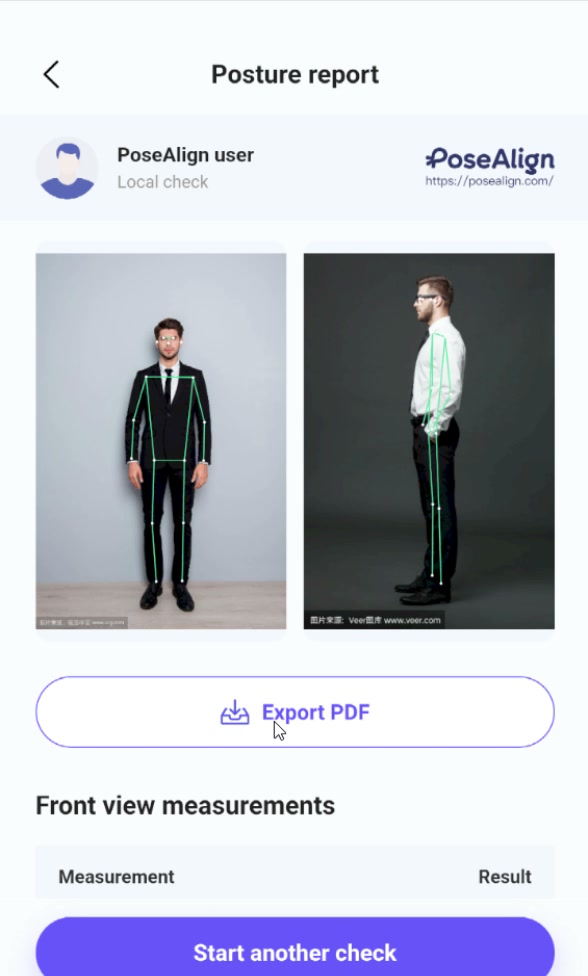
The how it works page walks through each screen with screenshots.
Step 3: Add the context the numbers cannot give
The PDF says nothing about you beyond two photos, so a short written note makes it far more useful. Include:
- Why you are asking. A training goal, discomfort you have noticed, a desk job or simple curiosity each lead to different follow-up questions.
- Symptoms, if any. Where, since when, and what makes them better or worse.
- Relevant history. Past injuries, surgeries and current training.
- How the photos were taken. Date, time of day, clothing, and whether the phone was propped up or handheld.
- What you want from them. A second opinion on the photos, exercise ideas from a trainer, or an in-person appointment.
- Whether this is one report or a series. If you have earlier PDFs taken with the same setup, send them together; our routine for tracking posture changes with dated reports shows how to keep them comparable.
A note can be as short as this:
Hi, I've attached a posture report I made with a phone app from two photos taken this morning (phone propped on a shelf, fitted clothes, my normal stance). I spend most of the day at a desk and want to know whether anything in the photos is worth looking at during my next session. No pain at the moment.
Choose the right person for the question. If you have pain, numbness, weakness or a recent injury, a licensed healthcare professional such as a physiotherapist or doctor is the right first contact; our home posture check guide lists the NHS advice on when to see a GP and when to get urgent help. A trainer can use the report to start a conversation about your training plan.
What a professional adds beyond photos
Two photos show how you stood for one moment. They do not show how you move, how far your joints bend, how strong you are or what you feel, so expect the report to be one input among several. Depending on their training and the reason you came, a professional may:
- take a history of your symptoms, activity, work and goals;
- watch you move, for example squatting, walking, reaching overhead or bending;
- measure joint range of motion, often with a goniometer or inclinometer;
- test strength, endurance and balance;
- examine you hands-on, in the case of physiotherapists and other clinicians;
- take their own photos with a standard setup and markers on anatomical points.
There is a research reason for this wider view. A 2020 review of 41 systematic reviews (Swain and colleagues) found no consensus that specific spine postures or physical exposures cause low back pain. Posture is one piece of information, and a professional will weigh it against everything else they learn about you.
Do not be surprised if they retake the photos. In a 2009 study of 21 university students (Iunes and colleagues, Brazilian Journal of Physical Therapy), three physiotherapists judging posture by eye did not agree with each other on six body landmarks, while three other examiners who measured marked points on photos with software agreed on all segments assessed. Many clinicians prefer measurements taken under their own protocol. Your report still shows what you noticed, when you took the photos and what made you ask. For what the numbers can and cannot tell you, read how to read a posture analysis report and how accurate photo posture analysis is.
Privacy tips before you send photos
Posture photos show your body and often your face, so share them only with people you choose and only as much as they need.
- Leave the name field blank or use initials. Name and age are optional on the Advanced check screen. If the professional needs your age, put it in your note.
- Keep your head in the photo. Head tilt and forward head angle depend on it, so cropping out your face before analysis would remove those measurements. Choose clothing you are comfortable with and a background that shows nothing personal, such as family photos, mail or a house number.
- Check location data on original photos. If you also send the original images, they may carry the location your phone's camera saved. Google's help page says that photos you download or share outside Google Photos keep the location your device saved, and that a location added automatically by your camera cannot be removed in Google Photos. Check your camera app's settings for a location option and turn it off before taking posture photos.
- Use a channel you trust. A clinic's patient portal or a direct email is better than a group chat. Avoid posting posture photos in public forums or on social media to ask for opinions.
- Ask how the file will be kept. It is reasonable to ask a professional where they store client files, who can see them and when they delete them.
For how the app itself handles data, read the PoseAlign Privacy Policy or contact support through the FAQ.
Checklist before you hit send
- Both photos show your whole body, square to the camera, in fitted clothing.
- Landmarks sit on the right joints in both views.
- The PDF is named with the date, and the name field is blank or uses initials.
- Your note covers why you are asking, any symptoms, your history and how the photos were taken.
- Original photos, if you send them, carry no location data.
- You are sending through a channel you trust.